ASUS HD 7970 DirectCU II

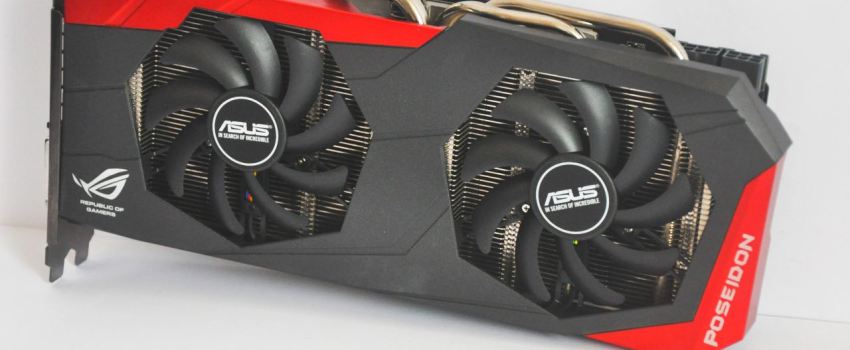
Some time after launches of graphics cards come modified versions from partner manufacturers. ASUS now appears to be one of the first with his 7970 DirectCU II.

It is a fairly well-equipped cards where everything from circuit boards to the cooler has been redesigned.

The cooler consists of 6 heating pipes, which is directly exposed to the graphics core. The tubes connected to a generous heatsink which is cooled by two 100 mm fans. ASUS states that the cooler should be 20% cooler than reference, and 14 dB quieter. It comes at the cost of room and board will take all three PCI Express locations in width.

ASUS Rampage IV Extreme: Hidden feature unveiled for HD7970

A few hours ago, Shamino posted a thread at kingpincooling forum.
ASUS R&D have somehow figured out a way to publish voltage modifications for graphics card; these include control VGA loadline, switching frequency, OverCurrent Protection and core voltage.

Control Load Line, Switching Freq, OCP, Voltage of 7970 with R4E
First solder red and black headers to VGA card:

The headers will be later on plug into MB.

Steps

Do Not plug in the header before boot.
After Boot and go into OS, plug in header
Open Digipower CNTRL (install from CD)

you can set load line, Switching Freq, OCP, it will be set with the CPU’s vcore, so suggest set LL Extreme, Switching Freq 500 to 800, disable OCP (this will also be used for the VGA Vcore)
If you also wanna adjust vcore of VGA, u can open up Turbo V and adjust the CPU Vcore together with the VGA vcore. VGA vcore will be 100mv lesser than what you set on the CPU. For eg, 1.40 will give 1.30 on VGA.
After adjust and ready to bench remove header. Settings hould be kept even at reset unless you shutdown.

Do not have the header plugged in at boot as it will make the system stop booting.
Enjoy.

|PR| ASUS Radeon HD7970

The AMD Radeon HD7970 from ASUS has been announced in their press release today. The AMD Radeon HD7970 is the most powerful single graphics card known to date. It is fabricated using the 28nm GPU frabrication process to give the best performance and low power consumption. This GPU also sports a 3GB GDDR5 video memory together with the latest PCI Express 3.0 bus interface.

|Review| AMD Radeon HD 7970 3GB

Introduction

AMD has begun to release their widely anticipated latest family of GPUs, the Southern Islands. Southern Islands will become the successor to AMD’s previous generation of GPUs, the Northern Islands. The Southern Island GPUs will be the first GPUs based on the 28nm silicon fabrication process, PCI Express 3.0, Microsoft’s DirectX 11.1 API compliant and a new architecture named Graphics Core Next (GCN). The first GPU to be released is the Radeon HD7970 (Tahiti XT). It features a wider memory bus (384-bit) compared to its predecessor, the Radeon HD6970 (256-bit). Most importantly, it has 2048 stream processors and clocked at 925MHz Core /1375MHz Memory clock.

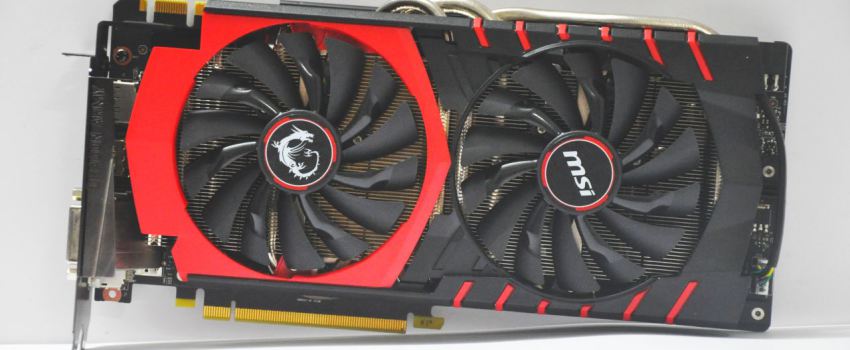
|Comparison| Twin Frozr II vs. DirectCU II

The famous DirectCU and Twin Frozr graphics card cooling solution from ASUS and MSI are well known for being superior compared to reference heatsink. Now how about comparing both side by side? Placing them on the same graphics card, under the same environment, etc. Which of them yield better performance? Lower noise? What do you think?

Visit here for full report.

|Review| The Limited Edition, The One of Thousand

No surprise that ASUS Mars II will be a heat monster and king of power hungry graphics card. ASUS ROG R&D Team must have putting extremely lot of effort in designing this masterpiece, squeezing two GTX580 core in single PCB with twice number of phase power of GTX590 graphics card. No deny that the GPU has reached high mark on temperature reading, however, by replacing stock thermal paste with 3rd party thermal paste and place them in proper ventilated casing will definitely helps, nevertheless, this graphics card is rather more of a collectible item, only 1000 units will be made in the world, so GRAB IT BEFORE TOO LATE!

- coolice


ASUS Mars II received the Editor’s Choice Award from OCDrift.com

Visit here for full review.

|Review| MSI R6990 4GB DDR5

There’s no doubt that the MSI R6990 is the fastest and the most powerful ATI graphics card ever produced by MSI and it really does deliver what it should deliver. Those in intense need of graphics performance should really consider this graphics card seriously, be it intense gaming session or other graphics needs, it can do the job impressively. To obtain this powerful card, the price u need to pay for a MSI flagship graphics card is quite expensive. Well, u get what you pay. However, i would like to point out that the cooling system of this graphics card is not sufficient. At default speed and stock voltage, the load temperature (when stressing) reached 82 degree. That’s kinda on the high side to me. Nevertheless, do take note that during stressing, the graphics card loading at 100% operation. Now i believe there’s very little game could push this card to the max. Overall, it’s a great card minus the temperature thingy.

- uzer85


MSI R6990 received gold award from OCDrift.com

Visit here for full review.

|Review| MSI GTX580 Lightning Xtreme Edition

MSI graphic cards are known to be good among overclockers especially the Lightning Edition. Lightning Edition is top of the line of each product line.
The Lightning edition is undoubtedly good and this review is about GTX580 Lightning Xtreme Edition which i believe the improved version of GTX580 Lightning, better under extreme condition, perhaps? But too bad this review was done just on air.

MSI GTX580 Lightning XE received gold award from OCDrift.com

Full Review: Click Here

ASUS Mars II Pictured!


It have been 2 months since Computex, where ASUS has shown off their new limited edition graphics card, Mars II, only 1000 units in the world. Today, we finally have the chance get to see an unit out of thousand.

ASUS combines 2pcs of GF110 GPU core or in short, dual GTX580 in a single pcb with 21 phase power feeding in. Comes with 3GB Memory (1.5GB GDDR5 each core), HDMI, DisplayPort and 2 DVI output interface. This monster taken up to 3 slots space cooling system to calm it down, also, required 3 8pins PCIE power and minimum 1000w PSU (42A of 12v rail).

More photos can be seen in our forum/facebook, short review will be up soon.